Want to build a local AI agent that never phones home? I run agents on my own boxes now, not as a science project anymore, just as a thing that works. Ollama hides all the runtime pain, and Qwen 2.5 got close enough to GPT-4 on code and reasoning, at sizes that actually fit a consumer GPU, that the only bill left is the power meter. Here is the whole thing in the order I would do it. Install Ollama on Windows, Linux or macOS, pick the Qwen size your VRAM can stomach, hit it from Python over the HTTP API, bring in LangChain once the workflow stops being one call, and finish on a real email-reply assistant in 80 lines.
The short answer
Install Ollama (one binary), pull a Qwen 2.5 size that fits your VRAM, then hit
http://localhost:11434/api/chat from Python or LangChain. Nothing leaves the box.
The payoff is privacy, near-zero latency, and a flat power bill instead of a per-token one.
I run agents on my own boxes now. Not as a science project anymore, just as a thing that works. Ollama hides all the runtime pain, and Qwen 2.5 got close enough to GPT-4 on code and reasoning, at sizes that actually fit a consumer GPU, that the only bill left is the power meter. That plus the afternoon you'll burn gluing it into your stack. So. Here's the whole thing in the order I'd do it. Install Ollama on Windows, Linux or macOS, then pick the Qwen size your VRAM can stomach, hit it from Python over the HTTP API, bring in LangChain once the workflow stops being one call, and finish on a real email-reply assistant in 80 lines. I ran every command here in May 2026 against Ollama 0.6 and the Qwen 2.5 series. If something doesn't match, it's probably just drifted since.
Why local AI in 2026
What keeps pulling me back to running this myself? Start with privacy. Customer data, prompts, internal docs, the code repos, none of it leaves the building for someone else's cloud. If you're in healthcare or finance or legal, or you just touch PII at any real volume, that one property is the entire yes-or-no. Money's the other half of it. Once you lean on these models for real, the break-even against paid APIs lands somewhere near 5 million tokens a month, and past that line the hardware you've already amortised against the power bill just wins. Then latency, which people forget about. A 7B on a halfway recent GPU spits out the first token in 50-80 ms. No cloud API gets near that, doesn't matter how fat your pipe is.
The catch (there's always one) is quality. A 7B or 14B on your desk is not GPT-5 turbo, and it's not Claude Opus 4.7. Don't kid yourself there. When the task is genuinely hard, untangling a legal argument, some gnarly code refactor, I still reach for a flagship API and I don't lose sleep over it. But classification. Extraction. Summarising, the endless routine email drafts, the bread-and-butter agent loops? Qwen 2.5 14B holds its own. I've watched people fail to pick it out of a lineup against the big cloud models, and honestly that tells you most of what you need.
Install Ollama (Windows, Linux, macOS)
Best thing about Ollama? One binary. It carries the runtime, the place your models live on disk, plus a little REST server on port 11434. All of it, bundled. Whatever your OS, the installer's done in under a minute.
macOS and Linux
curl -fsSL https://ollama.com/install.sh | sh
ollama --version  # confirm install
Windows (PowerShell)
Grab the installer from ollama.com/download, run it the once, then check it landed from PowerShell:
ollama --version
# Should print: ollama version is 0.6.x
It sets itself up as a background service and comes back on its own every reboot, so you can mostly forget about it. Poke the API to make sure it's actually awake:
curl http://localhost:11434/api/tags
# Returns JSON with the list of locally installed models (empty at first)
Firewall note. Out of the box Ollama binds 127.0.0.1:11434, loopback only, so nothing off the box can reach it. That's the safe default. Leave it there unless you've got a reason. Want other machines on the LAN to talk to it? Set OLLAMA_HOST=0.0.0.0:11434, but in the same breath write a firewall rule that only lets your LAN subnet in. Don't skip that part. Please.
Choosing the right Qwen 2.5 model for your VRAM
Qwen 2.5 ships in a handful of sizes you'd actually use in anger. Bookmark the table. It gives you minimum VRAM at the standard Q4_K_M quant (the one Ollama picks for you) and rough tokens-per-second on a recent consumer card. The last column is what each tier is honestly good for. One thing to get straight: VRAM is the wall you hit first here, not compute. Read that column before you fall for a number.
| Model | VRAM min | Throughput | Sweet spot |
|---|---|---|---|
qwen2.5:0.5b | 1.5 GB | ~150 tok/s | Edge devices, autocomplete, classification |
qwen2.5:1.5b | 2.5 GB | ~120 tok/s | Lightweight chat, extraction, on CPU-only laptops |
qwen2.5:3b | 4 GB | ~90 tok/s | Summarisation, simple tool use, RAG |
qwen2.5:7b | 6 GB | ~70 tok/s | General-purpose agent, code completion |
qwen2.5:14b | 10 GB | ~45 tok/s | Complex reasoning, multi-step agents (best quality / cost on RTX 3060 12GB and up) |
qwen2.5:32b | 22 GB | ~22 tok/s | Near-flagship quality, needs an RTX 3090 / 4090 / 5090 or Apple M3 Max+ |
qwen2.5:72b | 48 GB | ~12 tok/s | Top-tier quality, requires dual GPU or a single A6000 / H100 |
Pull whichever one you settled on. One-time download, and it lands in ~/.ollama/models for good:
ollama pull qwen2.5:7b       # general purpose default
ollama pull qwen2.5:14b      # better reasoning if VRAM allows
ollama pull qwen2.5-coder:7b # code-specialised variant
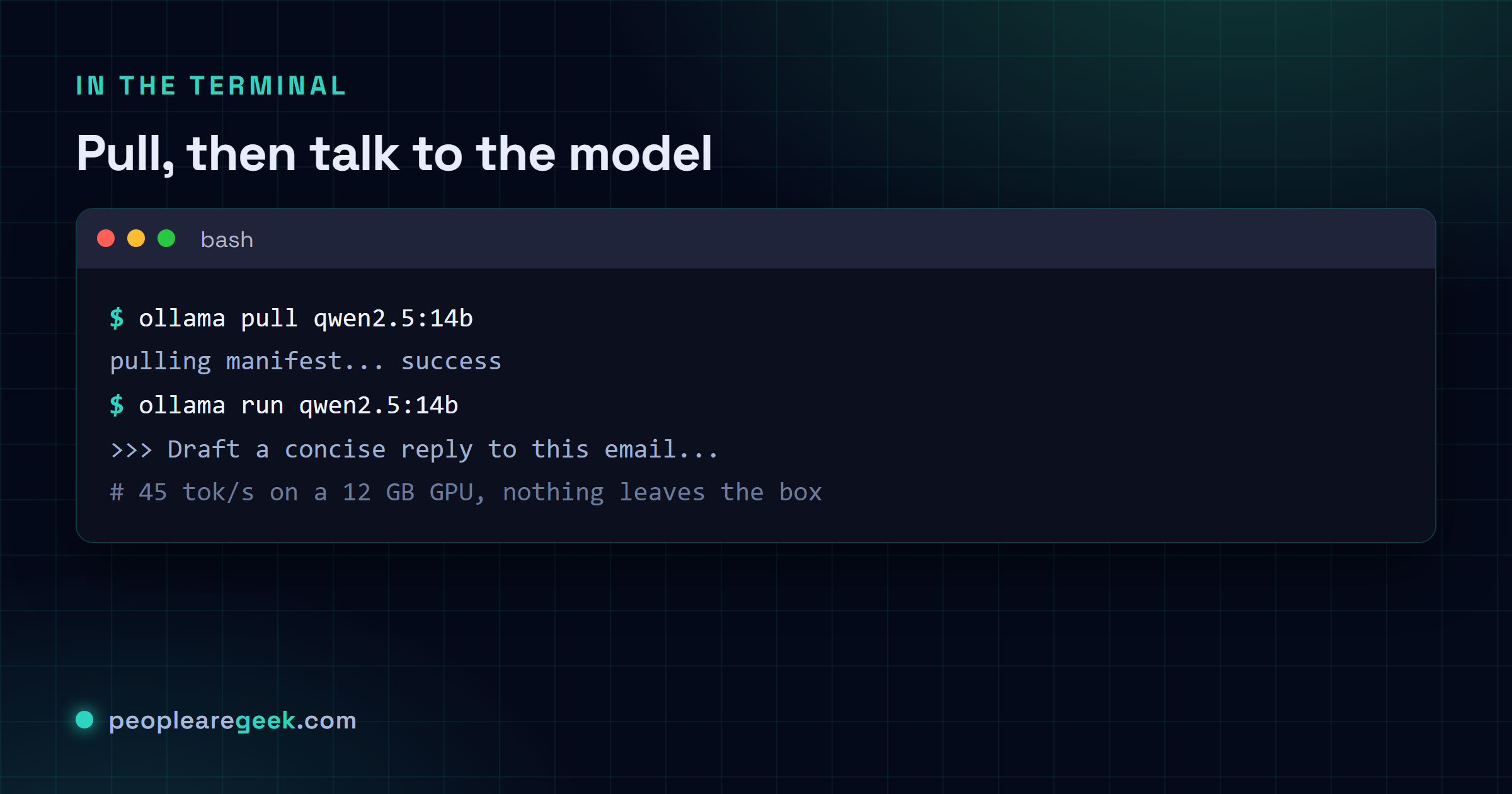
Before you write a line of code against it, talk to it in the terminal first. Just to be sure it's sane:
ollama run qwen2.5:7b
>>> Write a Python function that fetches a URL and returns the JSON.
# Streams a complete answer with code.
Ollama HTTP API basics
You'll really only touch three endpoints. /api/chat is the newer one. It speaks the OpenAI message format, and it's what I default to every single time. Then /api/generate, the old raw-prompt style, still hanging around, rarely what you actually want. And /api/embeddings hands you vectors back when you're building out a RAG pipeline.
# Chat (recommended)
curl http://localhost:11434/api/chat -d '{
  "model": "qwen2.5:7b",
  "messages": [
    {"role": "system", "content": "You are a concise coding assistant."},
    {"role": "user", "content": "Explain async/await in Python in one paragraph."}
  ],
  "stream": false
}'
Back comes one JSON object, with the model's text sitting in message.content. Flip stream: true instead and you get a token per line, newline-delimited. Same shape OpenAI streams in, so whatever you wrote for them mostly just works.
Most knobs from the OpenAI Chat Completions schema carry straight over, either top-level or tucked under options. You've got temperature, top_p, seed, then num_ctx for the context window, num_predict to cap output tokens, and stop for sequences that cut generation short. Tool calling's been in since Ollama 0.5. Pass a tools array the way the chat endpoint docs lay out.
Calling the model from Python
Sure, you can talk to it with a single requests call. But the second you're building an agent you'll have outgrown that by lunchtime. Do yourself a favour, start on the official client.
# pip install ollama

import ollama

client = ollama.Client(host="http://localhost:11434")

response = client.chat(
    model="qwen2.5:7b",
    messages=[
        {"role": "system", "content": "You are a helpful assistant."},
        {"role": "user", "content": "Summarise the benefits of local AI in 3 bullets."}
    ],
    options={"temperature": 0.3, "num_ctx": 8192}
)

print(response.message.content)
That ollama package handles the stuff you'll reach for. Streaming, with client.chat(..., stream=True) handing you per-token chunks. Embeddings through client.embeddings. Tool calling too. And it drags in nothing past requests, which is exactly why it stays my default for scripts and those small services nobody ever quite gets around to rewriting.
LangChain integration for agents
Once you need more than one turn (chains, RAG, routing to tools, keeping memory around), LangChain and its Ollama binding save you from reinventing a pile of plumbing you'd only get wrong anyway. Pull both packages in:
pip install langchain langchain-community langchain-ollamaThe smallest thing that does anything useful looks like this. Qwen behind a prompt template, parser bolted on the end:
from langchain_ollama import ChatOllama
from langchain_core.prompts import ChatPromptTemplate
from langchain_core.output_parsers import StrOutputParser

llm = ChatOllama(model="qwen2.5:14b", temperature=0.2)

prompt = ChatPromptTemplate.from_messages([
    ("system", "Translate the user's message into French."),
    ("user", "{text}")
])

chain = prompt | llm | StrOutputParser()
print(chain.invoke({"text": "Hello, how are you today?"}))
Want the thing to actually call tools? Drop that same ChatOllama into LangChain's normal agent constructor and you're off. The loop, running the tools, holding the memory between turns, all the prompt plumbing, the framework carries it for you. Which is most of why you'd bother with it in the first place.
Complete example: email-reply assistant
Here's something you'd actually run. 80 lines that pull your last 10 unread messages over IMAP, get Qwen 2.5 14B to draft a reply that's clearly read the email, then drop each one into Drafts so a human eyeballs it before anything goes out. Swap in your own credentials. And for the love of everything, point it at a throwaway test mailbox the first time round. I let a half-baked mail script loose on a live inbox once. Just the once.
import imaplib
import email
from email.message import EmailMessage
import ollama

IMAP_HOST = "imap.example.com"
IMAP_USER = "you@example.com"
IMAP_PASS = "app-specific-password"

SYSTEM_PROMPT = """You are a professional assistant drafting replies on
behalf of the user. Reply in the same language as the incoming email.
Be concise (3-6 sentences). Use a friendly but professional tone.
End with a signature line: 'Best regards,\\nThe Assistant (draft)'.
Never send the reply - it will be reviewed before sending."""

def get_unread_emails(limit=10):
    m = imaplib.IMAP4_SSL(IMAP_HOST)
    m.login(IMAP_USER, IMAP_PASS)
    m.select("INBOX")
    _, data = m.search(None, "UNSEEN")
    ids = data[0].split()[:limit]
    messages = []
    for i in ids:
        _, raw = m.fetch(i, "(RFC822)")
        msg = email.message_from_bytes(raw[0][1])
        body = ""
        if msg.is_multipart():
            for part in msg.walk():
                if part.get_content_type() == "text/plain":
                    body = part.get_payload(decode=True).decode(errors="ignore")
                    break
        else:
            body = msg.get_payload(decode=True).decode(errors="ignore")
        messages.append({
            "from": msg["From"], "subject": msg["Subject"],
            "body": body, "id": i
        })
    m.close()
    m.logout()
    return messages

def draft_reply(msg):
    client = ollama.Client()
    user_content = f"From: {msg['from']}\nSubject: {msg['subject']}\n\n{msg['body']}"
    response = client.chat(
        model="qwen2.5:14b",
        messages=[
            {"role": "system", "content": SYSTEM_PROMPT},
            {"role": "user", "content": user_content},
        ],
        options={"temperature": 0.3, "num_ctx": 8192, "num_predict": 400}
    )
    return response.message.content

def save_draft(reply_text, original):
    draft = EmailMessage()
    draft["From"] = IMAP_USER
    draft["To"] = original["from"]
    draft["Subject"] = "Re: " + (original["subject"] or "")
    draft.set_content(reply_text)
    m = imaplib.IMAP4_SSL(IMAP_HOST)
    m.login(IMAP_USER, IMAP_PASS)
    m.append("Drafts", "", imaplib.Time2Internaldate(time.time()), draft.as_bytes())
    m.logout()

if __name__ == "__main__":
    import time
    for msg in get_unread_emails(limit=10):
        print(f"Drafting reply to: {msg['subject']}")
        reply = draft_reply(msg)
        save_draft(reply, msg)
        print(f"  Saved to Drafts ({len(reply)} chars)")
That same skeleton bends to whatever you've got. Point it at a CRM API instead of IMAP and it does support tickets. Calendar invites over CalDAV. Anything that boils down to read a thing, draft a reply, park it for a human. Nobody warns you about this part up front. The model is the cheap, boring bit. It's the integration around it you'll be babysitting for years, and I don't think that ever really changes.

Performance tuning and benchmarks
When local inference drags, it's usually one of three knobs doing it. Check these before you go blaming the model:
- Quantisation level. Q4_K_M is the default for a reason. You keep around 90% of the quality and shave the size down 4x. Climb to Q5_K_M or Q6_K and you buy back a little quality on the same model, but you pay in VRAM. Q8_0's basically lossless and roughly doubles the footprint, which is a lot to spend. Start at Q4_K_M. Only climb once you've actually measured the quality biting you, not because a bigger number feels nicer.
- Context window (num_ctx). Ollama starts you at 2048. That's tiny the moment you're feeding in real history or document chunks, so bump
num_ctxto 8192 or 16384. The memory cost climbs more or less in step, which means keepingnvidia-smiopen and watching your headroom while it runs. That's where the VRAM quietly disappears to. - GPU layers (num_gpu). Ollama tries to figure out how many layers fit in VRAM on its own, and most days it nails it. But on a box with both an integrated and a discrete GPU? I've watched it back the wrong horse. When that happens, force the offload.
OLLAMA_NUM_GPU=99throws everything at the GPU,0keeps the lot on the CPU.
Rough numbers I'd trust for qwen2.5:14b at Q4_K_M, on the hardware people actually own in 2026. Ballpark, not gospel:
| Hardware | Tokens/sec (output) |
|---|---|
| RTX 4090 (24 GB) | ~75 tok/s |
| RTX 4070 Ti Super (16 GB) | ~55 tok/s |
| Apple M3 Max 64 GB | ~38 tok/s |
| RTX 3060 (12 GB) | ~28 tok/s |
| Apple M2 16 GB (CPU+GPU) | ~14 tok/s |
| Intel i9-13900K CPU only (DDR5-6000) | ~6 tok/s |
Sources and further reading
Frequently asked questions
Why Qwen 2.5 and not Llama 4 or Mistral?
As of May 2026, Qwen 2.5 sits just out in front on the independent benchmarks (MMLU-Pro, HumanEval, MT-Bench) once you are in that 7B-14B bracket. It pulls further ahead on multilingual and on code. Llama 4 405B is the better model overall, no argument there, but it won't fit on anything under your desk; the 8B is right in the mix yet still trails Qwen 2.5 7B on code. Mistral Large 3 is lovely and not open-weight, which for me ends the conversation. Check back in six months though. I have been wrong about which model wins more times than I care to admit.
Can I run Ollama on a laptop without a discrete GPU?
You can, yeah. CPU-only runs fine for the 0.5B, 1.5B and 3B on a recent Intel or AMD chip with 16 GB of RAM or more. The throughput is perfectly livable. Apple Silicon is a treat here: from the M1 on, the unified memory and Metal GPU pick up the slack, and even a plain M2 runs 7B at a speed you won't swear at. The 14B on CPU though? It will technically go. But you are looking at 3-6 tokens a second on a top-end desktop, the kind of slow where you go make coffee and it is still typing when you sit back down.
How do I expose Ollama securely to the office network?
Three moves, in order. First, set OLLAMA_HOST=0.0.0.0:11434 so it listens on every interface. Then lock the host firewall down so port 11434 only opens to the office subnet (192.168.1.0/24, or whatever your VPN range happens to be). Then stand a reverse proxy out front, Caddy if you ask me, nginx if that is your shop, to terminate TLS and bolt on basic auth or an API-token check. And the one that matters most? Never, ever hang port 11434 straight off the internet bare. The API ships with zero auth. Anyone who finds it owns it.
What is the memory cost of long context?
Rough rule I carry in my head: about 2 MB of VRAM per 1,000 tokens of context on a 7B at Q4_K_M. Call it double that on a 14B. So a full 32k window with the 14B runs you roughly 1 GB on top of the weights themselves. Don't take my arithmetic as final, though. Fire off a realistic call, watch nvidia-smi while it is actually working, and set your cap off what you see.
How do I use function calling with Qwen 2.5?
Qwen 2.5 does tool calling out of the box, no tricks. Hand it a tools array in the chat request using the OpenAI schema; Ollama 0.5 and up passes it through cleanly, and when the model decides it wants a tool you will find message.tool_calls waiting in the response. The whole multi-turn dance (call the tool, feed the result back, let it call the next) runs exactly like it does against the OpenAI API. If you have done it there, you already know this.