Four firewall tools, one Linux box, all live in production in 2026, and a Linux firewall comparison is the only way to keep them straight. There is iptables the old workhorse, nftables the proper kernel replacement, firewalld the zone daemon on every RHEL box, and ufw the friendly Debian and Ubuntu front-end. Nobody says it out loud, but they all poke the exact same kernel. Every single one wraps netfilter or nf_tables, no exceptions. So I line them up, write the same firewall four times in four dialects, walk through getting off the old ones, then tell you which I actually reach for on a fresh box. Spoiler: nftables wins for almost everything that is not RHEL.
The short answer
iptables, nftables, firewalld and ufw are four front doors to the same kernel
packet filter. On anything current they all write nf_tables rules in the end,
even when you type the old iptables syntax through the iptables-nft shim. Pick
by distro and job: ufw for a simple Debian or Ubuntu box, firewalld where Red
Hat already runs it, nftables for everything else.
Four firewall tools. One Linux box. All of them live, all in production, in 2026. That's the mess you walk into. There's iptables the old workhorse my fingers still type without asking permission. There's nftables the proper replacement the kernel people built, default since somewhere around 2018-2020 depending on which distro you ask. On every RHEL box you'll meet firewalld, the zone-based daemon. Oh, and ufw the friendly Debian/Ubuntu front-end that reads like plain English. Nobody says it out loud, but they all poke the exact same kernel. Every single one is a wrapper around netfilter or nf_tables, no exceptions. So I'll line them up, write the same firewall four times in four dialects, walk through getting off the old ones, then tell you which I actually reach for on a fresh box. Spoiler, since I hate burying it: I think nftables wins for almost everything that isn't RHEL. More on why later.
Why four firewall tools in 2026
Blame history. That's the whole answer, really. iptables landed with Linux 2.4 back in 2001 as the face of netfilter, and then it just... won. Twenty years as the only game in town. Which means twenty years of tutorials, runbooks, Ansible roles, and half-right Stack Overflow answers piling up behind it like sediment. Anyone who started before 2018 types it in their sleep. I do, and I'm not proud of it. Then the netfilter team got fed up with what iptables couldn't do and started building nftables in 2014 as the real heir. The kernel slid over to the nf_tables backend during the 4.x series, no fanfare, and the distros followed around 2018-2020 (Debian 10, RHEL 8, Ubuntu 20.04, openSUSE Tumbleweed). Now here's the part that confuses everybody. The iptables command still works on basically every box. But on most of them it's the iptables-nft shim, quietly rewriting your old syntax into nftables rules behind your back. Type iptables -L on Rocky 9 and you're looking at nftables rules wearing an iptables costume. They fooled you.
firewalld and ufw turned up later, aimed at people who'd rather not hand-write chains. firewalld (2011, Red Hat) parks a daemon on top of the kernel and hands you zones, named services, that runtime-versus-permanent split, plus a D-Bus API. It's the only one of the four that actually keeps a process running in the background, watching. ufw (2008, Ubuntu) went the other way entirely. It's a thin shell wrapper over iptables that boils the everyday stuff down to one-liners. Different crowds. Same goal, more or less: a firewall without the chain bookkeeping.
The kernel underneath: netfilter vs nf_tables
Peel off the four front-ends and you're left with one thing in the kernel doing the actual work: the packet filter. Two generations of it live in there, side by side.
- x_tables: the old netfilter framework behind iptables, ip6tables, ebtables and arptables. One module per protocol family. A fixed set of tables. And it gets clumsy the second you want to express anything compound.
- nf_tables: the do-over. One framework covering v4, v6, bridge and arp, with a little bytecode VM running in the kernel and atomic swaps. The performance holds up when your rule count gets genuinely silly.
On anything current, nf_tables is the only backend the kernel actually runs. Doesn't matter what you typed. iptables, iptables-legacy, iptables-nft, firewall-cmd, ufw, nft, all of them are user-space tools that write nf_tables rules in the end. One exception. Install iptables-legacy on purpose, next to the nft backend, and you're back to programming the old x_tables structure for real. It's still in there. It's also circling the drain, so honestly, I wouldn't lean on it for anything new.
iptables: the legacy interface
The mental model is tables and chains. iptables sorts rules into tables (filter, nat, mangle, raw) and then into chains inside those: INPUT, OUTPUT, FORWARD for the filter table, plus whatever custom chains you bolt on yourself. A rule looks at a packet. Then it accepts it, drops it, rejects it, or jumps it off to another chain. That's the whole game, pretty much.
# List current rules
sudo iptables -L -n -v --line-numbers

# Allow SSH from anywhere
sudo iptables -A INPUT -p tcp --dport 22 -j ACCEPT

# Set default policy to drop
sudo iptables -P INPUT DROP

# Save rules persistently (Debian/Ubuntu via iptables-persistent package)
sudo netfilter-persistent save

# RHEL 7 style
sudo service iptables save
What iptables has going for it is muscle memory and a mountain of docs. Whatever weird thing you're trying to do, someone wrote it up in 2014 and the post still works. What it doesn't have is atomic edits. Every -I or -D mutates the live ruleset in place, so there's always this half-second window where you're stranded somewhere between the old policy and the new one. Miss a step and you've locked yourself out. The syntax gets wordy fast the moment a rule needs more than one condition. And push the rule count past a few thousand? The performance curve bends the wrong way, and not gracefully.
nftables: the modern kernel ABI
nftables keeps tables and chains, but loosens them up and bolts on the pieces iptables never had. You name your own tables and scope them to a protocol family. You drop chains into them and say exactly which hook each one attaches to. Rules go in the chains, same as always. The part I actually love, though? Sets and maps are first-class citizens. You group a pile of addresses, ports, or interfaces into one named thing and just reference it. That one feature changes how you write rules, full stop.
# /etc/nftables.conf, full example
#!/usr/sbin/nft -f
flush ruleset

table inet filter {
  set allowed_tcp {
    type inet_service
    elements = { 22, 80, 443 }
  }

  chain input {
    type filter hook input priority 0;
    policy drop;

    iif lo accept
    ct state established,related accept
    tcp dport @allowed_tcp accept
    ip protocol icmp accept
    ip6 nexthdr icmpv6 accept
  }
}

# Apply
sudo nft -f /etc/nftables.conf

# List
sudo nft list ruleset
So why switch? Atomic replacement, first off. The whole ruleset swaps in one shot, no in-between state to get caught in. Sets turn "allow these 17 ports" into a single line instead of seventeen separate rules. The inet family lets one rule cover both IPv4 and IPv6, so you quit maintaining two parallel firewalls that drift apart over time. It scales to tens of thousands of rules without keeling over the way iptables does. There's a catch, and it's a fair one. The syntax is newer, so the runbook-and-tutorial pile behind it is still thinner than iptables'. Some days you'll be the one writing the doc instead of reading it.
firewalld: the dynamic state daemon
firewalld brings a couple of ideas the others just don't have. Zones for one: every interface or connection belongs to one, and the zone carries the default policy, so "home" and "public" can mean very different things on the same laptop. Then services named bundles of port plus protocol, so you say ssh instead of memorizing tcp/22. And the big one, runtime versus permanent which bites literally everybody at least once. Anything you add without --permanent takes effect right now and then quietly evaporates on the next reload or reboot. More on that particular landmine later.
# Inspect current state
sudo firewall-cmd --get-default-zone
sudo firewall-cmd --list-all

# Allow SSH, HTTP, HTTPS persistently
sudo firewall-cmd --zone=public --add-service=ssh --permanent
sudo firewall-cmd --zone=public --add-service=http --permanent
sudo firewall-cmd --zone=public --add-service=https --permanent

# Custom port range
sudo firewall-cmd --zone=public --add-port=8080-8090/tcp --permanent

# Apply
sudo firewall-cmd --reload
Where firewalld earns its keep: it changes rules on the fly without flushing everything the way iptables does on a save. The zone model really is the right shape for roaming laptops and boxes with several NICs. The D-Bus API means GUI tools can drive it too. Where it frustrates me is the abstraction. It hides what's actually getting written, so the moment something's wrong you're debugging two layers at once, the firewalld zones up top and the nft ruleset down below. And on a stripped-down server? That background daemon is just one more thing that can fall over at 3 a.m. while you're asleep.
ufw: the human-readable front-end
If all you want is "SSH and HTTPS open, everything else shut," ufw gets you there in about six lines and then you're done thinking about it:
sudo ufw default deny incoming
sudo ufw default allow outgoing
sudo ufw allow 22/tcp comment 'SSH'
sudo ufw allow 80/tcp comment 'HTTP'
sudo ufw allow 443/tcp comment 'HTTPS'
sudo ufw enable

# Verify
sudo ufw status verbose

# Rate-limit (built-in)
sudo ufw limit 22/tcp
ufw has opinions, and that's the entire point. It arranges things so you never have to think about chains, tables, NAT, or jump targets. The payoff is the gentlest learning curve of the four, plus the quickest "open this port and make it stick" workflow you'll find anywhere. The price is vocabulary. The second you want something past plain allow or deny on a port, ufw just shrugs and you're dropping down to raw iptables or nft anyway. It also refuses to share a host with firewalld without a fight, so don't even try to run both. Pick one. Disable the other.
Per-distro defaults
Here's what each distro in our Distro Reference actually hands you out of the box. And "out of the box" is doing a lot of quiet work in that sentence, so read the table closely:
| Distro | Default firewall front-end | Kernel backend |
|---|---|---|
| Ubuntu 24.04 LTS | ufw (not enabled by default) | nf_tables |
| Debian 12 Bookworm | None pre-installed (nftables.service available) | nf_tables |
| Fedora 40 | firewalld (enabled) | nf_tables |
| Rocky 9 / Alma 9 / RHEL 9 | firewalld (enabled) | nf_tables |
| Arch Linux | None pre-installed | nf_tables (available via nftables package) |
| openSUSE Leap 15.5 | firewalld (enabled, since Leap 15.0) | nf_tables |
| Alpine Linux 3.19 | None pre-installed | nf_tables (via nftables package) |
Two things on that table have burned people I know personally. Ubuntu ships ufw but leaves it switched off. A fresh server has zero firewall running until you actually type ufw enable, and plenty of folks assume "ufw is installed" means "ufw is doing something." It isn't. It's just sitting there. Arch and Alpine go further and ship nothing at all, so a box you just spun up has every listening port wide open to the whole internet until you install and turn on a firewall yourself.
Critical: a fresh Arch or Alpine box is exposed on every listening port the instant it boots. Get a firewall installed and enabled before that host ever touches a public network. Not after. Not "in a minute."
Recipe: same rule in all four syntaxes
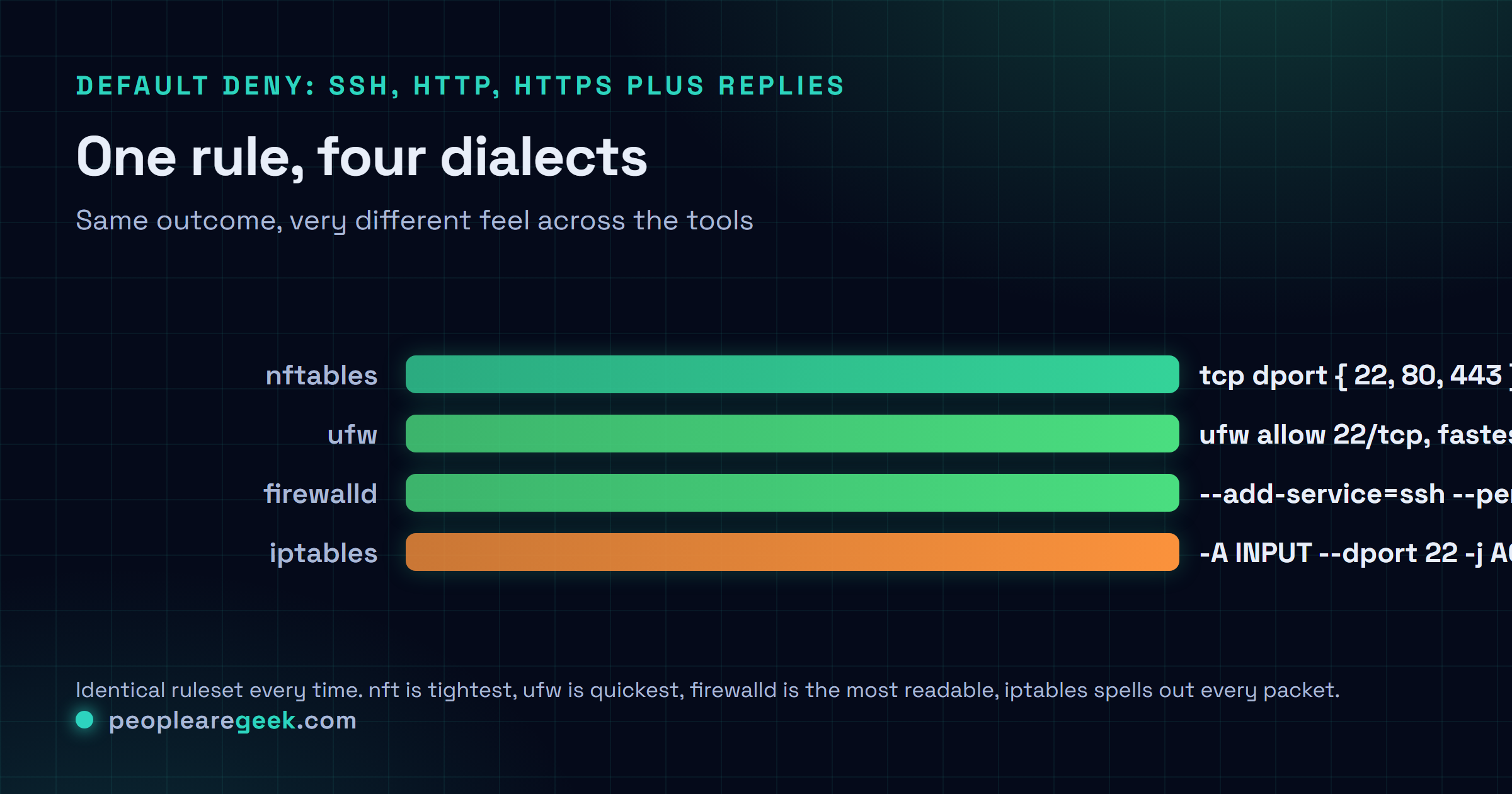
Same job, four times over. The baseline I'm after: slam the door on everything inbound except SSH (22), HTTP (80), HTTPS (443), plus the replies to connections we opened ourselves. That last bit trips people up constantly, so it's baked into all four versions on purpose.
iptables
sudo iptables -P INPUT DROP
sudo iptables -A INPUT -i lo -j ACCEPT
sudo iptables -A INPUT -m state --state ESTABLISHED,RELATED -j ACCEPT
sudo iptables -A INPUT -p tcp --dport 22 -j ACCEPT
sudo iptables -A INPUT -p tcp --dport 80 -j ACCEPT
sudo iptables -A INPUT -p tcp --dport 443 -j ACCEPT
sudo iptables -A INPUT -p icmp -j ACCEPT
sudo netfilter-persistent save
nftables
cat | sudo tee /etc/nftables.conf <<'EOF'
#!/usr/sbin/nft -f
flush ruleset
table inet filter {
  chain input {
    type filter hook input priority 0;
    policy drop;
    iif lo accept
    ct state established,related accept
    tcp dport { 22, 80, 443 } accept
    ip protocol icmp accept
    ip6 nexthdr icmpv6 accept
  }
}
EOF
sudo systemctl enable --now nftables
sudo nft -f /etc/nftables.conf
firewalld
sudo firewall-cmd --zone=public --set-target=DROP --permanent
sudo firewall-cmd --zone=public --add-service=ssh --permanent
sudo firewall-cmd --zone=public --add-service=http --permanent
sudo firewall-cmd --zone=public --add-service=https --permanent
sudo firewall-cmd --reload
ufw
sudo ufw default deny incoming
sudo ufw default allow outgoing
sudo ufw allow 22/tcp
sudo ufw allow 80/tcp
sudo ufw allow 443/tcp
sudo ufw enable
Identical outcome. Four completely different feels. The nft version is the tightest of the bunch, all thanks to that { 22, 80, 443 } set sitting on one line. firewalld reads like you're describing the setup out loud to a colleague. ufw is the one your fingers finish first, no contest. And iptables? It's the most honest about what's actually happening to each packet, every step spelled out, nothing tucked away. Which one's "best" depends entirely on what you care about. My answer's waiting at the bottom, and honestly I don't think it's all that close.

Performance and feature comparison
| Feature | iptables | nftables | firewalld | ufw |
|---|---|---|---|---|
| Atomic rule replacement | No | Yes | Yes (via daemon) | No (uses iptables under hood) |
| Sets and maps | No | Yes | Limited (ipset) | No |
| IPv4 + IPv6 in one rule | No (two tools) | Yes (inet family) | Yes (transparent) | Yes (parallel rules) |
| Dynamic API (state daemon) | No | No (rules are static config) | Yes (D-Bus) | No |
| Zones / location awareness | No | No | Yes | No |
| Performance at 10k+ rules | Slow (linear) | Fast | Depends on backend (now nft) | Inherits from iptables |
| Learning curve | Steep (deep) | Medium | Medium (concepts) | Lowest |
| Ecosystem (docs, runbooks) | Huge | Growing | Solid in RHEL world | Solid in Debian/Ubuntu |
Migration patterns
iptables to nftables
There's an official converter, iptables-restore-translate. Feed it your iptables-save dump and out comes the matching nftables ruleset. Treat that output as a rough first draft, though, not a finished product. It works fine, but it translates rule-for-rule, dumbly, so you'll want to go back through and fold things into sets and maps by hand if you want the real payoff:
sudo iptables-save > /tmp/rules-v4.txt
sudo ip6tables-save > /tmp/rules-v6.txt
iptables-restore-translate -f /tmp/rules-v4.txt > /tmp/rules.nft
ip6tables-restore-translate -f /tmp/rules-v6.txt >> /tmp/rules.nft

# Review the output, edit as needed, then load
sudo nft -f /tmp/rules.nft
sudo systemctl disable --now iptables  # remove the old service
sudo systemctl enable --now nftables
ufw to firewalld (or vice versa)
These two won't live together, so there's no clever path here. Sorry. You disable one, install the other, rebuild the rules from scratch. Nobody's written a syntax converter and nobody ever will, because the two think about firewalls in completely different shapes: flat port rules on one side, zones on the other. So just re-create what you had using the cheatsheet up in the recipe section. Tedious, yes, but not hard.
Legacy iptables-save format to nftables permanent config on Debian/Ubuntu
Still carrying an old /etc/iptables/rules.v4 around from the iptables-persistent days? On Debian 12 or Ubuntu 24.04, the tidiest way off it is this:
sudo apt install nftables iptables-nftables-compat
sudo iptables-restore-translate -f /etc/iptables/rules.v4 > /etc/nftables.conf
sudo systemctl enable --now nftables
sudo systemctl disable netfilter-persistent
Decision tree for new installations
- One Debian or Ubuntu server, a few ports, a team that lives off cheatsheets picks ufw. Least to remember. Fastest way to open a port and walk away without a second thought.
- Anything in the RHEL family (Rocky, Alma, RHEL, Fedora) picks firewalld, and I say this slightly through gritted teeth. It's already there, already running. Swimming against the default almost never pays off, and I've personally watched someone burn a whole day proving exactly that.
- Container host, K8s node, anywhere rules churn constantly picks nftables, no hesitation. The atomic swaps and the performance at scale are precisely what this job needs.
- A laptop that roams (VPN, captive portals, a different network every single day) picks firewalld with zones. This is the one scenario it was actually built for, so step back and let it do its job.
- Fleet management, runbooks everywhere, infrastructure as code picks nftables, easily. A declarative
nftables.confdrops out of a template clean and diffs like any normal file in git. - Some ancient box with hundreds of iptables rules nobody wants to touch gets
iptables-restore-translaterun over it, then maintain the result as nftables from there on. Rip the bandage off once and be done.
Common gotchas
- Default policy of DROP without an allow rule on the loopback: this locks the host out of itself, which is its own special kind of miserable. Always
-A INPUT -i lo -j ACCEPT(iptables) oriif lo accept(nft) before you touch the default policy. - Forgetting the established/related rule: outbound connections work, but the replies never make it back in. Always allow
state established,relatedon the input chain. Always. - ufw and Docker conflict: Docker writes its own iptables and nft rules that sail straight past ufw. Reach for the
ufw-dockerhelper, or configure Docker with--iptables=falseif you really need ufw running the show for container traffic. - firewalld silent without --permanent: rules added without
--permanentvanish after a reload or reboot, and there's no warning at all. None. Build the habit of always pairing--permanentwith--reload. - Multiple firewall tools on one host: ufw and firewalld and raw iptables all elbowing each other. Keep one and shut the others down for good with
sudo systemctl mask. - IPv6 forgotten: a rule that opens TCP/22 on v4 can leave SSH wide open on v6 if you never wrote the matching v6 rule. nftables'
inetfamily just solves this. iptables makes you maintain bothiptablesandip6tablesby hand, which is exactly how people forget. - Persistence not configured: rules you applied with
iptables -Aare gone the second you reboot unless you actually saved them. Each distro has its own save mechanism (iptables-persistent,nftables.service,firewall-cmd --reload), so check yours.
Sources and further reading
Frequently asked questions
Should I learn nftables in 2026?
Yes. The kernel has moved on, and nftables is what runs underneath all of it now. You can keep leaning on iptables-nft for your legacy rules, sure, but knowing native nft syntax genuinely pays off the moment you read modern docs or have to debug why a ruleset will not load. And once sets and maps click, you stop missing iptables entirely.
Is iptables going away?
The iptables command sticks around for years yet, purely because of how many systems still run it. The x_tables backend underneath is technically deprecated but still maintained for compatibility. My honest guess (and it is a guess): iptables-nft stays usable through 2030, while iptables-legacy gets dropped from most distros somewhere around 2028. Could be off by a year either way.
Can I use ufw on RHEL or firewalld on Ubuntu?
Technically, yes. ufw lives in EPEL for RHEL, and firewalld is in Ubuntu's universe repository. Neither one is the path of least resistance, though. The real cost is running a tool the rest of the ecosystem does not expect to find there. The docs assume you went the other way. So do the packages, and so does your colleagues' muscle memory.
What about pf?
pf is BSD-only (OpenBSD, FreeBSD, macOS). It simply does not exist on Linux. If you are coming from BSD and your fingers keep reaching for pfctl, the closest mental model over here is nftables: declarative, table-and-chain, with the atomic replacement you are used to. Different command, similar headspace.
Do I still need fail2ban with a proper firewall?
Yes, you do. The firewall blocks on port and source IP. It never looks inside the content of connections that are already established. fail2ban (and its successors) watch the application logs instead, then inject temporary block rules the moment a pattern of failures shows up. fail2ban reads the logs, the firewall reads the packets. You want both.