The best managed switch for a homelab in 2026 is not a single box, it is the right box for what you are actually doing. I have been through three of them in my own rack: an old unmanaged 8-port, a smart switch that finally let me carve off a guest network, and now a multi-gig box because my NAS got tired of crawling. Are you learning VLANs on the cheap? Wiring up cameras and access points? Moving big files between a NAS and a workstation? Each one points at a different switch. The real story of 2026 is that 2.5GbE finally got cheap, which changes the math for everybody. Here is how I would shop, grouped by the job, with no fake prices.
The short answer
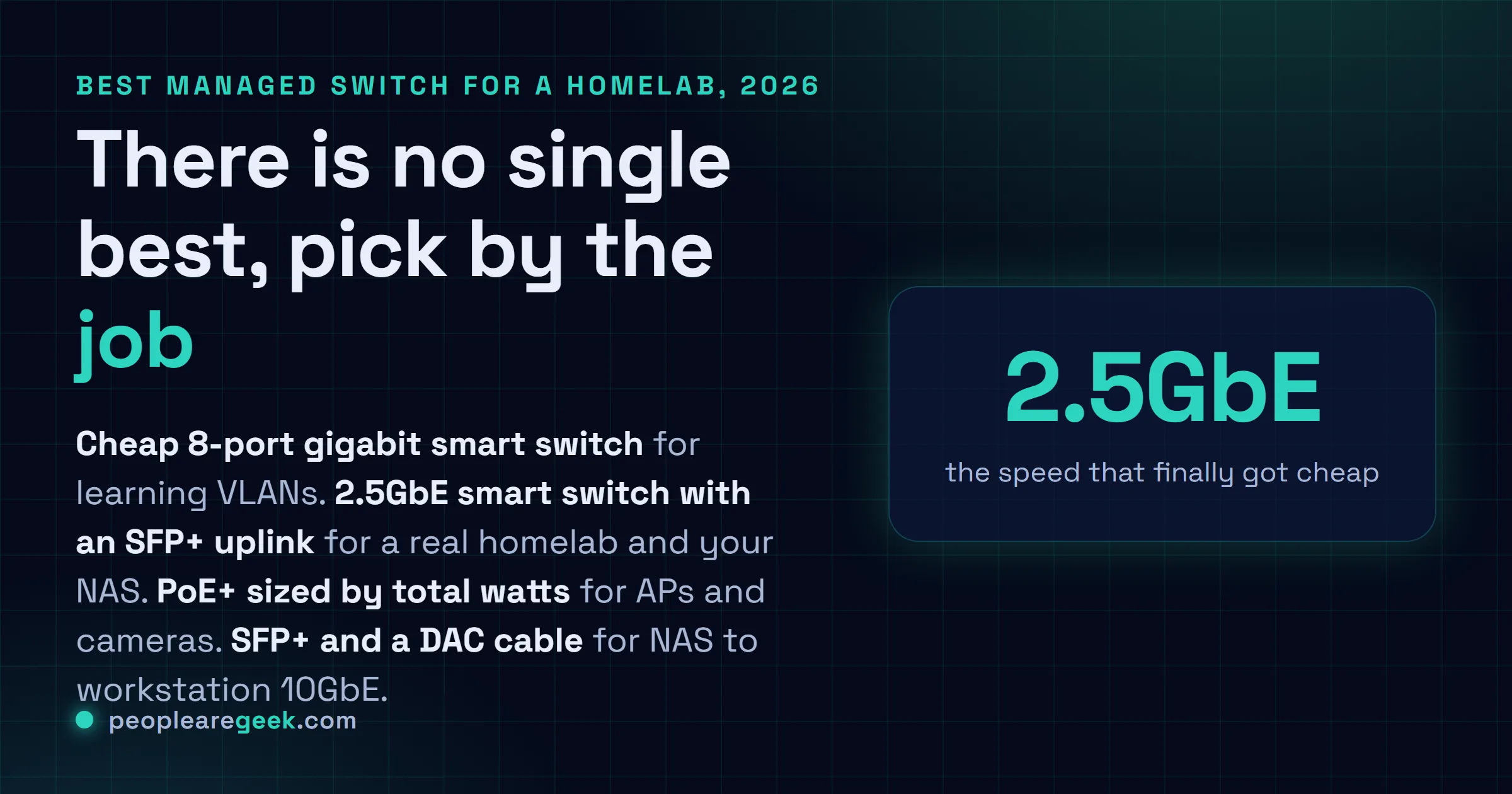
There is no single best managed switch for a homelab, there is the right one for what you are doing. Learning VLANs on the cheap? A fanless 8-port gigabit smart switch. Building a homelab in 2026? A 2.5GbE smart switch with an SFP+ uplink, the speed that finally got affordable. Powering APs and cameras? A PoE+ switch sized by total watt budget, not port count. Moving giant files NAS to workstation? SFP+ with a DAC cable. Want power and value? A MikroTik CRS.
The switch is the part of a homelab nobody gets excited about until the day they need VLANs. Then it's all you can think about. I've been through three of them in my own rack: an old unmanaged 8-port that did its job for years, a smart switch that finally let me carve off a guest network, and now a multi-gig box because my NAS got tired of crawling. So no, there's no single "best managed switch." There's the right one for what you're actually doing. Are you just learning VLANs on the cheap? Wiring up cameras and access points? Moving big files between a NAS and a workstation? Each of those points at a different box. And the real story of 2026 is that 2.5GbE finally got cheap, which changes the math for everybody. Prices shift constantly, so I won't feed you numbers that'll be wrong by next week. Go check the current price yourself. I'll point you at each one.
The quick comparison table
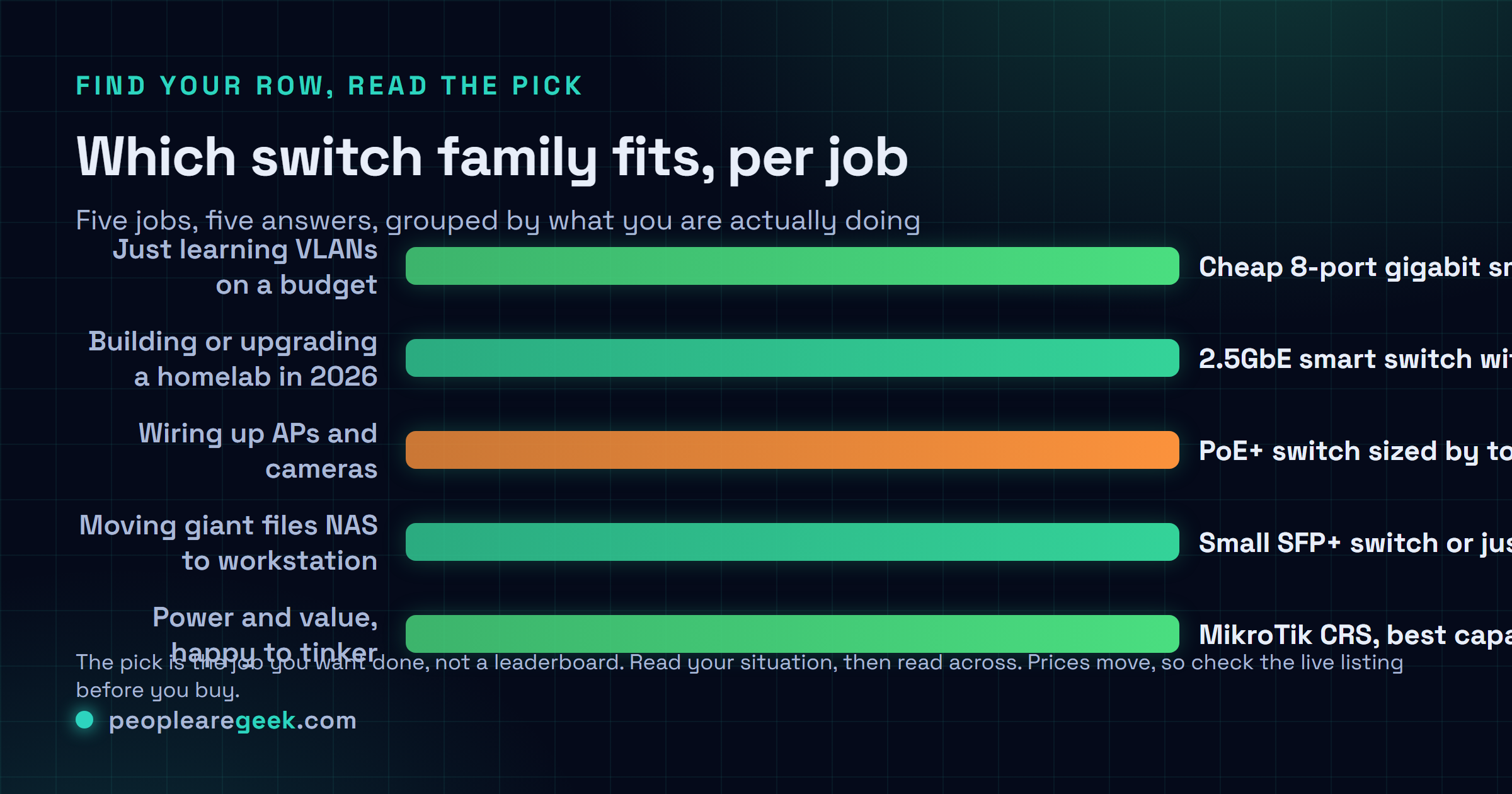
Here's the shortlist I'd hand a friend who texted me asking what to get. Five jobs, five answers. The "watch-outs" column is the part most listings bury, so read that one.
| Family | Best for | Key strengths | Watch-outs |
|---|---|---|---|
| Cheap 8-port smart/managed gigabit (TP-Link, Netgear, Zyxel) | Learning VLANs, a small home network on a budget | Cheap, silent (usually fanless), real VLAN and tagging support | 1GbE only, basic web UI, limited features versus a full managed box |
| 2.5GbE smart switch (generic and brand-name multi-gig) | The multi-gig sweet spot, NAS and fast clients | 2.5GbE on every port, got cheap fast, often an SFP+ uplink | Cheaper ones run hot, firmware and management vary a lot, fan on some |
| MikroTik CRS series | The VLAN and routing crowd who want power and value | Huge feature set, SFP/SFP+ on many, multi-gig models, brilliant value | RouterOS and SwOS have a learning curve, some models have a fan |
| TP-Link Omada / Zyxel managed (TL-SG3xxx and similar) | Full managed L2/L2+ with a friendlier UI | Proper managed features, controller option, decent docs, broad lineup | You pay more than a smart switch, some models are fanned and rack-style |
| PoE switch (PoE / PoE+ for APs and cameras) | Powering access points, IP cameras, VoIP phones over the cable | One cable for data and power, mind the total PoE watt budget | PoE+ costs more, cheap ones skimp on total wattage, fans common |
What actually matters in a homelab switch
Before any model names, this. Nail these and the box almost picks itself. Miss them and you'll be reselling a switch that's wrong for you in a couple of months. I've done that. The fan noise one got me personally.
Managed vs smart vs unmanaged
This is the first fork in the road. An unmanaged switch is dumb in the good way: plug it in, it just forwards packets, no config, no VLANs. Fine for a flat network. A smart switch (sometimes "web-managed" or "easy smart") adds the stuff a homelab actually wants, VLANs, port tagging, sometimes link aggregation, through a simple web page. A fully managed switch piles on the rest: a real CLI, deeper L2 features, sometimes L3 routing, SNMP, the works. Here's my honest take. For most homelabs, a good smart switch covers 90 percent of what you need and costs a fraction of a managed one. Buy managed when you specifically want the CLI, the routing, or the deeper control. Not just because "managed" sounds more serious.
Port count and uplink
Count your devices, then add a few, because a homelab always grows. 8 ports feels roomy until it isn't. The uplink matters more than people think: a switch with a faster uplink port (an SFP+ cage or a 2.5GbE/10GbE port) lets you trunk back to your router or another switch without choking the link everything shares. If you're daisy-chaining switches, that uplink is the bottleneck you'll hit first.
1G vs 2.5G vs 10G
The big 2026 shift. For years the jump from 1GbE went straight to expensive 10GbE, and most of us just stayed on gigabit. Then 2.5GbE got cheap, and now it's the honest sweet spot. It's a real, noticeable upgrade for NAS traffic, it runs over the Cat5e you already have in the walls, and it doesn't cook itself or your power bill. 10GbE still has its place (more on that below), but for the vast majority of homelabs, 2.5GbE is the speed I'd buy in 2026 if I were starting fresh.
PoE budget (watts, not just ports)
If you're powering access points or cameras, don't just count the PoE ports. Count the total power budget in watts. A switch might say "8 PoE ports" but only deliver, say, 60 watts total across all of them, which runs out fast once you've got a couple of hungry APs and a few cameras. PoE (802.3af) gives you up to about 15W per port, PoE+ (802.3at) up to roughly 30W. Most modern APs want PoE+. So add up what each device draws, leave headroom, and buy a switch whose total budget comfortably covers it. The watt budget is where cheap PoE switches quietly cut corners.
Fan noise (the homelab dealbreaker)
This is the one that bites if your rack lives anywhere you can hear it. Plenty of switches ship with a small, screaming fan that's fine in a data center and miserable in a home office. Fanless switches exist and they're silent, which is gold for a desk or a living-room cabinet. Bigger PoE and 10GbE switches almost always have fans because they genuinely need them. So if quiet matters, read reviews specifically for fan noise before you buy, because a spec sheet won't warn you. I learned that the loud way.
SFP+ vs RJ45 for 10G
If you go to 10GbE, you'll hit this choice. 10GBASE-T (RJ45) runs over copper and the regular cable you know, but it draws more power and runs hotter per port. SFP+ uses pluggable modules: a fiber transceiver, or for short runs a DAC cable (direct attach copper) that's cheap, cool, and low-power. For two boxes sitting near each other, a DAC cable into SFP+ ports is the quiet, efficient way to do 10GbE. I'd reach for SFP+ and DAC over 10GBASE-T whenever the distance allows.
Management UI and learning curve
The thing you'll actually live with. A TP-Link smart switch has a plain web page that anyone can figure out in ten minutes. MikroTik's SwOS and RouterOS are vastly more powerful and, honestly, a bit of a climb the first time. UniFi's controller is slick and visual but wants you bought into its ecosystem. None of these is wrong. Just be honest with yourself about whether you want to learn a platform or just set VLANs and walk away. Both are valid homelab goals.
One honest caveat on prices and specs: switch model numbers change often, and the same family name can ship with different port speeds, PoE budgets, or firmware depending on the revision. Always open the current Amazon listing and confirm the exact port speeds, PoE total wattage, and uplink type before you buy. I'm describing families, not promising a fixed spec.

Cheap smart and managed 8-port gigabit
If your goal is "I want to learn VLANs without spending much," start right here. The classic cheap smart switch, something like a TP-Link TL-SG108E or its Netgear and Zyxel equivalents, is an 8-port gigabit box that's usually fanless, silent, and dirt cheap, yet still does VLANs, port tagging, and often basic link aggregation through a simple web page. For carving a guest network off your main LAN, or isolating IoT junk, or just understanding how tagging works before you spend real money, it's perfect.
The honest catch in 2026: these are 1GbE only. That's still completely fine for most home traffic. But if you know a NAS or a fast workstation is in your near future, I'd think hard about whether to skip straight to a 2.5GbE smart switch instead, because the price gap has shrunk a lot. For pure VLAN learning on the cheap, though, the 8-port gigabit smart switch is a genuinely great first buy.
The 2.5GbE multi-gig sweet spot
This is the tier I'd point most homelabbers at in 2026, and it's because the economics finally make sense. A 2.5GbE smart switch gives every port two and a half times the throughput of plain gigabit, runs over the Cat5e in your walls, and many of them throw in an SFP+ uplink so you can trunk to a faster backbone later. If you've got a NAS, this is the upgrade you actually feel.
The market here is broad. The popular cheap 2.5GbE smart switches (a flood of similar boxes, some fanless, some not) are tempting and often very good for the money, just check reviews for heat and firmware quirks. Step up a notch and you've got the serious players: MikroTik's CRS series for incredible value and SFP+ flexibility if you'll climb the learning curve, TP-Link's Omada managed line (the TL-SG3xxx family) for a friendlier managed experience, plus Zyxel and QNAP, the latter especially handy if you're already in their NAS ecosystem. My advice: if you want set-and-forget, a brand-name 2.5GbE smart or Omada switch is the easy call. If you want power and value and don't mind reading docs, look hard at MikroTik.
PoE switches (cameras and access points)
The moment you add wired access points or IP cameras, a PoE switch stops being a luxury and becomes the obvious move, because it pushes power down the same Ethernet cable that carries data. One run to the ceiling AP, done, no nearby outlet needed. For a homelab with a couple of UniFi or TP-Link APs and a few cameras, that's a clean wiring story.
Here's the budget math, honestly. Add up what your devices draw. A modern Wi-Fi access point often wants PoE+ (up to about 30W). A camera might sip 5 to 10W. Now look at the switch's total PoE budget, not just its port count, because that's the number that runs dry. A switch advertising eight PoE ports but only 60W total can't run eight power-hungry APs at once, full stop. So buy for the total wattage with headroom, and make sure you've got PoE+ (802.3at) if your APs need it, not just plain PoE. The extra cost of a higher-budget PoE+ switch is worth it the day you add one more device and don't have to start over.
10GbE, when it actually matters
Let's be straight: most homelabs do not need 10GbE. Where it genuinely earns its keep is one specific job, moving huge files fast between a NAS and a workstation, or between two servers. If you're editing video off a NAS, or running backups that take forever, a 10GbE link between those two machines is transformative. For everything else, 2.5GbE already covers you.
If you do go there, the SFP+ versus 10GBASE-T choice matters. 10GBASE-T over RJ45 is convenient and uses familiar cable, but it runs hotter and draws more power per port, which means more fan noise. SFP+ with a DAC cable (direct attach copper) between two nearby machines is cheap, cool, and quiet, and it's how I'd wire a NAS to a workstation sitting in the same rack. Fiber transceivers handle the longer runs. A small 10GbE switch with a couple of SFP+ ports, or even just a direct DAC link between two boxes with 10GbE NICs, is often all a homelab needs, no big switch required.
MikroTik vs Ubiquiti UniFi
For the managed and VLAN crowd, this is the rivalry that actually comes up. Two very different philosophies, and I genuinely like both for different people.
MikroTik is the value-and-power king. The CRS switches give you a frankly enormous feature set, SFP/SFP+ flexibility, and multi-gig options for a price that makes the big brands look silly. The trade is the learning curve: RouterOS (and the simpler SwOS) is deep and not always intuitive, and the first config can humble you. If you enjoy the networking itself and want maximum capability per dollar, MikroTik is hard to beat.
Ubiquiti UniFi sells the opposite: a polished, visual controller that ties switches, access points, and gateways into one clean dashboard. It's a joy to manage, and it looks great on a shelf. You pay more, and you're buying into an ecosystem, which is the whole point, the magic only really clicks when your APs and switch are all UniFi. So my honest split: MikroTik if you want to learn networking and stretch your money, UniFi if you want a tidy, cohesive system and you'll happily stay in their world. I've got a foot in both camps, and I don't think either side is wrong.
If you're stuck on this exact decision, I went deeper on it in my MikroTik vs Ubiquiti for the home network breakdown.
What I'd actually buy
Cutting through all of it, here's what I'd reach for, depending on who's asking.
- Just learning VLANs on a budget? A cheap 8-port gigabit smart switch like a TP-Link TL-SG108E. Silent, fanless, dirt cheap, and it does everything you need to understand tagging and segmentation.
- Building or upgrading a homelab in 2026? A 2.5GbE smart switch with an SFP+ uplink. This is my default pick now. The price finally makes sense and your NAS will thank you.
- Wiring up APs and cameras? A PoE+ switch sized by total watt budget, not port count. Buy headroom so the next device doesn't force a do-over.
- Moving giant files NAS to workstation? A small SFP+ switch, or just a DAC cable between two 10GbE NICs. Skip the big expensive 10GBASE-T box unless you genuinely need many ports.
- Want power and value and like to tinker? A MikroTik CRS. Best capability per dollar in the rack, as long as you'll climb the learning curve.
If you forced me to pick one answer for the most people in 2026, it's a 2.5GbE smart switch with an SFP+ uplink. It's the speed that finally got affordable, it future-proofs you without 10GbE's heat and cost, and it does VLANs for the homelab side. That's the one I'd put in a new rack today. You can always add a 10GbE link between two specific boxes later, which is exactly what I ended up doing.
Sources and further reading
- ServeTheHome, switch and homelab networking coverage
- MikroTik documentation, RouterOS and SwOS
- IEEE 802.3, Ethernet and PoE standards
Frequently asked questions
Do I need a managed switch for a homelab, or is a smart switch enough?
For most homelabs, a smart switch is enough and it'll save you real money. Smart switches do VLANs, port tagging and often link aggregation through a simple web page, which covers the vast majority of what a home lab actually needs. Go fully managed when you specifically want a CLI, deeper L2 features, L3 routing or SNMP. Not just because the word "managed" sounds more serious. I ran a smart switch for years and never felt limited until I wanted routing on the switch itself.
Is 2.5GbE worth it in 2026, or should I just get 10GbE?
2.5GbE is the sweet spot for most homelabs now, because it finally got cheap and it runs over the Cat5e already in your walls. It's a real, noticeable jump for NAS traffic without the heat, power draw or cost of 10GbE. I'd only reach for 10GbE for one specific job: moving huge files fast between a NAS and a workstation, and even then a single SFP+ DAC link between those two boxes often beats buying a whole 10GbE switch. So buy 2.5GbE for the network, add a 10GbE link only where you genuinely need it.
How many PoE watts do I need for my access points and cameras?
Add up what each device draws, then leave headroom, and look at the switch's total PoE budget in watts rather than just its port count. A modern Wi-Fi access point often wants PoE+ (up to about 30W), while a camera might sip 5 to 10W. A switch advertising eight PoE ports but only 60W total simply can't power eight hungry APs at once. So size by total wattage with room to spare, and make sure it's PoE+ (802.3at) if your APs need it, not just plain PoE. The watt budget is exactly where cheap PoE switches cut corners.
SFP+ or 10GBASE-T for 10GbE in a homelab?
For two machines sitting near each other, SFP+ with a DAC cable wins: it's cheap, cool, low-power and quiet. 10GBASE-T over RJ45 is convenient and uses familiar cable, but it runs hotter and draws more power per port, which usually means more fan noise. So I'd reach for SFP+ and a direct attach copper cable between a NAS and a workstation in the same rack, and only use 10GBASE-T or fiber transceivers when distance or existing copper forces my hand.
MikroTik or UniFi for a homelab switch?
Both are good, for different people. MikroTik's CRS switches give you an enormous feature set and SFP+ flexibility for a price the big brands can't touch, but RouterOS and SwOS have a real learning curve. UniFi sells the opposite: a polished visual controller that ties switches, APs and gateways into one clean dashboard, at a higher price and inside its own ecosystem. Pick MikroTik if you want to learn networking and stretch your budget, UniFi if you want a tidy cohesive system and you'll stay in their world. I keep a foot in both camps.