The best mini PC for a homelab has no single answer, and anyone who hands you one is skipping the only question that matters: what are you actually going to run on it? I have got four of these humming away in a cabinet right now, so this is not a top-ten listicle. It is how I would shop, grouped by what you are trying to do. Low-power always-on. A real virtualization workhorse. The cheapskate route that I honestly love. And the ones that can hold a couple of drives if you want a tiny NAS. Prices move every week, so I will point you at the families and the specs that actually decide it, not stale numbers.
The short answer
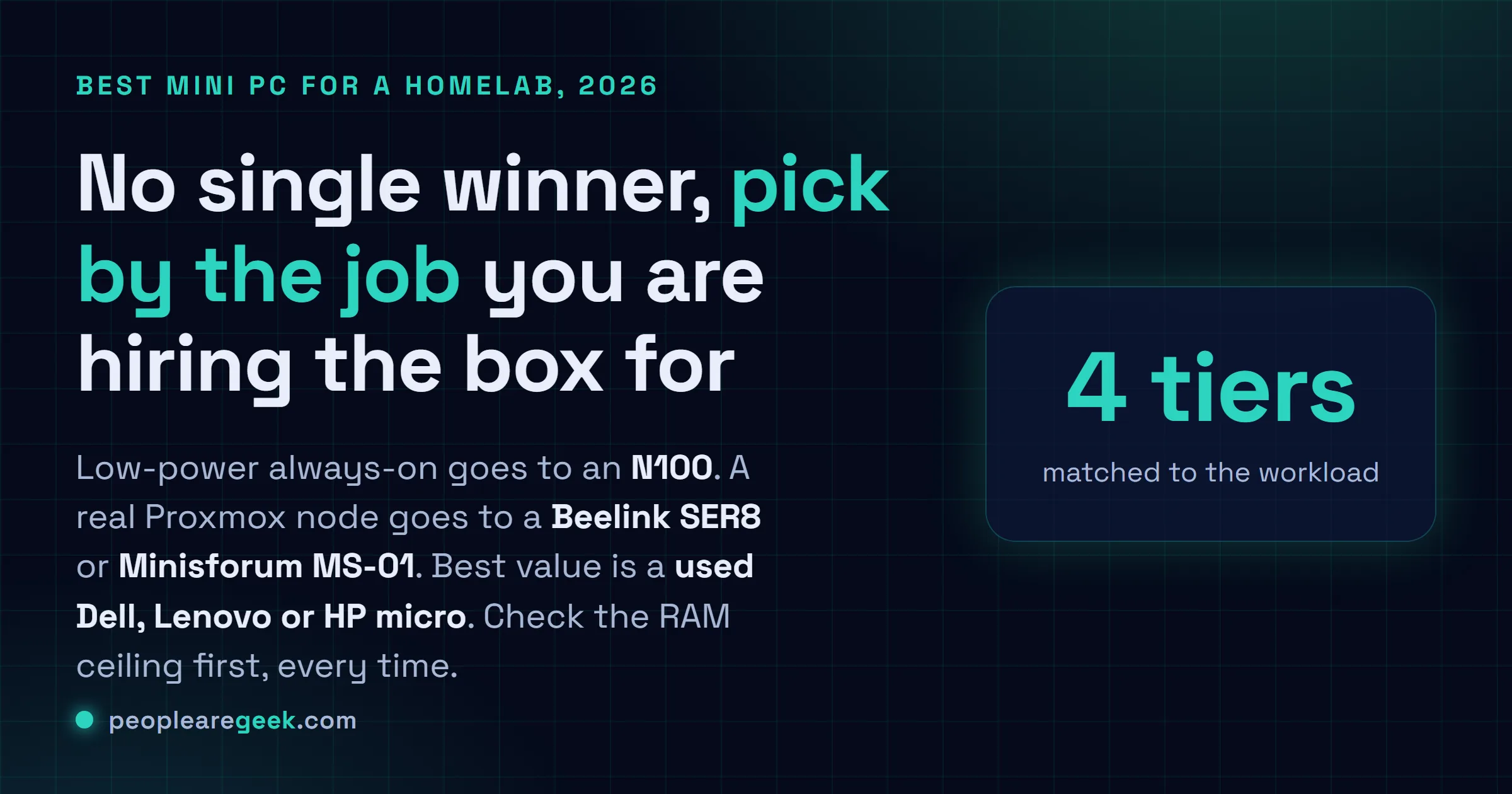
There is no single best mini PC for a homelab. Pick by the job: an N100 box for low-power always-on services, a Beelink SER8 or Minisforum MS-01 for a real Proxmox node, a used Dell, Lenovo or HP micro for the best value, and a box with NVMe plus a SATA bay if you want a tiny NAS. Check the RAM ceiling first, every time.
I've got four mini PCs humming away in a cabinet next to my desk right now. One's been on for about 600 days without a reboot, running Pi-hole and a couple of containers, sipping power like it's nothing. Another one's a noisy little beast that hosts six Proxmox VMs and gets warm enough that I moved it off the carpet. The point is, "best mini PC for a homelab" has no single answer, and anyone who hands you one is skipping the only question that matters: what are you actually going to run on it? So this isn't a top-ten listicle. It's how I'd shop, grouped by what you're trying to do. Low-power always-on. A real virtualization workhorse. The cheapskate route that I honestly love. And the ones that can hold a couple of drives if you want a tiny NAS. Prices move every week, so I'm not going to lie to you with numbers that'll be stale by Friday. Go check the current price yourself, I'll point you at each one.
The quick comparison table
Here's the shortlist I'd give a friend who texted me asking what to get. Five families, grouped by the job. The "watch-outs" column is the part most reviews skip, so read that one.
| Family | Best for | Key strengths | Watch-outs |
|---|---|---|---|
| N100 / N305 mini PC (GMKtec, Beelink, generic) | Low-power always-on, Pi-hole, a few containers | Tiny idle draw, fanless or near-silent options, often 2.5GbE now, cheap | Soldered or single RAM slot on some, modest CPU, don't expect heavy VM duty |
| Beelink SER / EQ series (Ryzen) | Balanced daily homelab, containers plus a couple of VMs | Strong Ryzen cores, dual SO-DIMM, two NVMe on many models, quiet | 1GbE on some SKUs, check the exact model for 2.5GbE and RAM ceiling |
| Minisforum UM / MS series | Virtualization workhorse, Proxmox with real VM headroom | High RAM ceilings, the MS-01 has dual 10GbE plus PCIe slot, lots of cores | MS-01 runs hot and isn't cheap, BIOS can be fiddly, fan ramps under load |
| ASUS NUC (the Intel NUC successor) | Reliable mainstream box you want to set and forget | Solid build, good BIOS, decent support lineage, Thunderbolt on many | Usually 1GbE, you pay a premium for the name, barebones means buy RAM and SSD |
| Used enterprise micro (Dell OptiPlex Micro, Lenovo ThinkCentre Tiny, HP EliteDesk Mini) | Best value, a Proxmox cluster on a budget | Cheap secondhand, rock-solid, easy RAM and SSD upgrades, great Linux support | 1GbE only, older CPUs, used means no warranty, idle draw a touch higher |
What actually matters in a homelab box
Before any model names, this. Get these right and the specific box almost picks itself. Get them wrong and you'll be selling your shiny mini PC on eBay in three months. I've done that. Twice.

Cores and threads
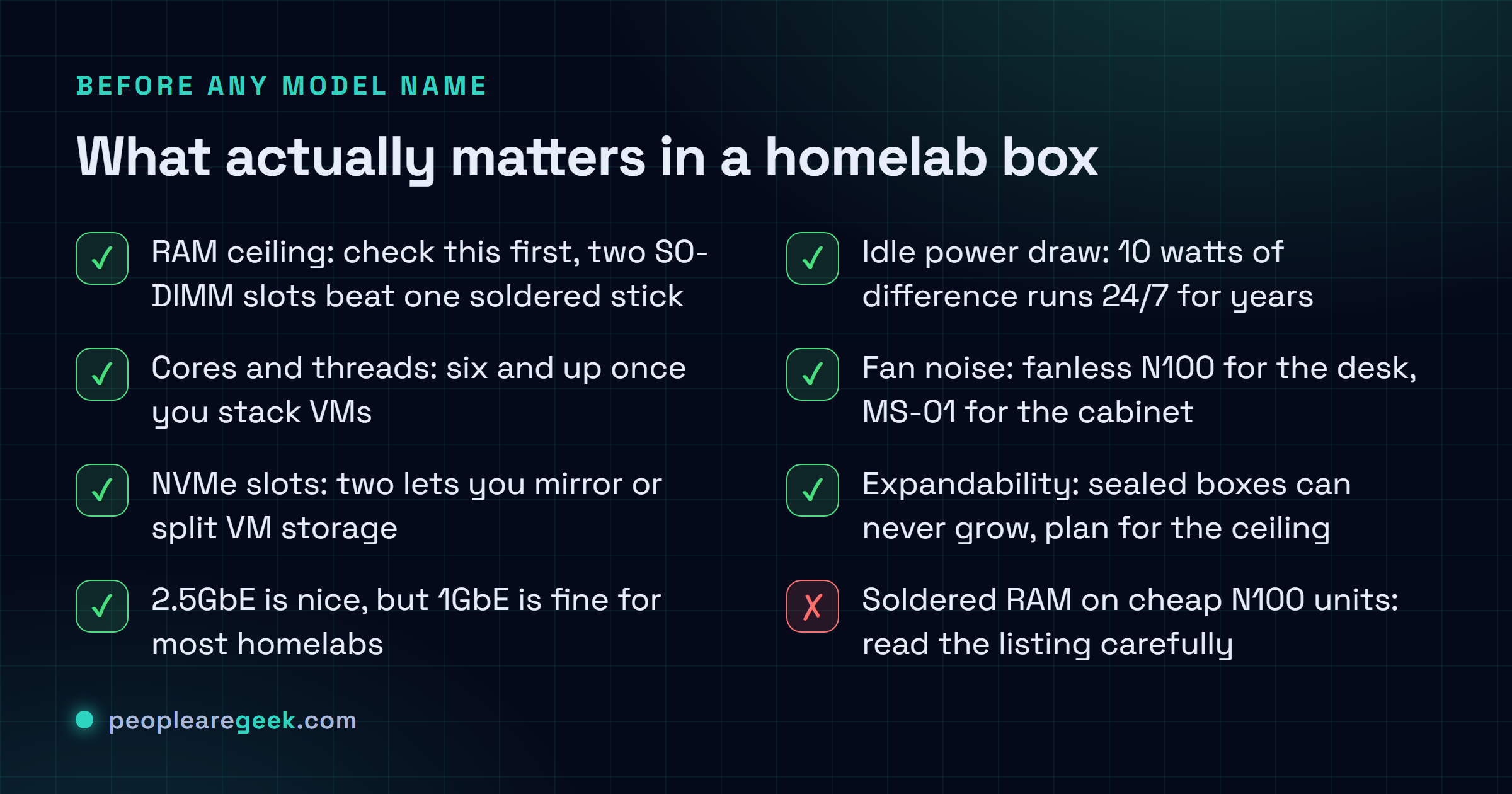
For a homelab the core count is what lets you stack workloads without everything grinding. A quad-core N100 is plenty for DNS, a reverse proxy, a couple of light containers. The moment you want several VMs running at once, each pretending it owns a CPU, you want six cores and up, ideally eight. Ryzen mobile chips and the newer Intel Core boxes give you that. Honestly, threads matter more than raw clock speed for this kind of work. You're juggling, not sprinting.
RAM ceiling (the one people get wrong)
This is the spec I'd check first, every time. RAM is what runs out before CPU in almost every homelab I've built. Proxmox itself wants a little, then every VM carves off a chunk that it won't give back. 16GB feels fine until you're running three VMs and suddenly you're swapping. So look at the ceiling, not what it ships with. A box with two SO-DIMM slots that tops out at 64GB or 96GB is a very different animal from one with a single soldered 16GB you can never grow. The soldered-RAM trap is real on a lot of the cheap N100 units, so read the listing carefully.
NVMe slots and storage
One M.2 NVMe slot is the bare minimum. Two is where it gets fun, because then you can mirror your boot drive or keep VM storage separate from the OS. A few boxes also fit a 2.5-inch SATA drive, which is handy for bulk storage or a small NAS. The Minisforum and Beelink models tend to be generous here. The barebones NUCs and the used micros usually give you one NVMe plus a SATA bay, which is honestly fine for most setups.
2.5GbE vs 1GbE
If you're moving files between machines or you've got a NAS, 2.5GbE is genuinely nice to have and it's gotten cheap. A lot of the N100 and Ryzen boxes ship it now. But I'll be straight: for most homelabs, 1GbE is still completely fine, and chasing 2.5GbE shouldn't make you skip an otherwise better box. The exception is the Minisforum MS-01, which throws in dual 10GbE, and if you're building anything storage-heavy that's a real reason to look at it. The used enterprise micros are 1GbE only, which is the one spot they show their age.
Idle power draw
This is the spec that bites you slowly. A homelab box runs 24/7, so a difference of 10 watts at idle is a difference you'll pay for every month for years. The N100 tier is brilliant here, some of them idle in the single digits of watts. Ryzen boxes sit a bit higher. The used enterprise micros are usually a touch thirstier than a modern N100 but still very reasonable. If always-on and low-power is your whole goal, weight this heavily. If the box only runs in the evening, relax about it.
Fan noise
You only care about this if the box lives where you can hear it. My always-on N100 is fanless and dead silent, which is why it sits on my desk. The MS-01 under VM load is audible, no question, so I keep that one in a cabinet. Fanless N100 units exist if silence is the priority. Just know that fanless plus heavy sustained load is a recipe for thermal throttling, so don't ask a passively-cooled box to transcode video all day.
Expandability
The last thing, and the easiest to forget on day one. Can you add RAM later? A second drive? On the used Dell, Lenovo and HP micros the answer is gloriously yes, you pop the lid and there are real slots. On some sealed mini PCs the answer is no, and you find that out the hard way. If you think your needs will grow, and in a homelab they always do, buy for the ceiling, not for today.
One honest caveat on prices and specs: mini PC SKUs change constantly, and the same product name can ship with different RAM, NICs, or CPUs depending on the batch. Always open the current listing and confirm the exact RAM ceiling, NIC speed, and NVMe slot count before you buy. I'm describing families, not promising a fixed spec.
Low-power, always-on (N100 and N305)
If your homelab is really "a handful of services that should never go down and shouldn't cost much to run," start here. The Intel N100 changed the game for this. Four efficient cores, tiny power draw, and they got cheap fast. The N305 is the bigger sibling, eight cores, for when you want a little more punch but still care about watts.
Brands? Honestly the N100 mini PC market is a sea of similar boxes from GMKtec, Beelink, and a dozen names you've never heard of, all built around the same Intel reference design. I'd lean toward GMKtec or Beelink just because returns and support are a bit more sane. The thing to nail down is the RAM. Some take a single SO-DIMM, some two, and a few have it soldered. For Pi-hole, a reverse proxy, Home Assistant, a few containers, 16GB is plenty and one of these will run them for years on almost no power. What I wouldn't do is buy an N100 expecting to run a stack of fat VMs. That's not its job, and you'll be disappointed.
The virtualization workhorse (Proxmox, lots of VMs)
Now the fun tier. This is for when you want to run Proxmox properly, with VMs and containers stacked up, maybe a Kubernetes cluster, a Windows VM for testing, the works. Here you stop caring about saving five watts and start caring about cores and RAM ceiling.
My two picks here come from different camps. The Beelink SER series (the Ryzen ones, like the SER8) gives you a genuinely strong CPU, dual SO-DIMM so you can push the RAM up, and on many models two NVMe slots. Quiet, well-built, and it punches well above its size. Great middle ground.
Then there's the Minisforum MS-01, which is honestly in a class of its own for a homelab and I keep recommending it even though it isn't cheap. You get a high core count, a huge RAM ceiling, dual 10GbE, and an actual PCIe slot, which on a box this small is almost absurd. I run mine as my main Proxmox node. The watch-out is real though: it runs hot, the fan ramps up under load, and the BIOS took me a couple of evenings to get comfortable with. If you want a serious virtualization box and you'll keep it in a cabinet, it's the one I'd point at. The Minisforum UM series is the calmer, cheaper Ryzen alternative if 10GbE is overkill for you.
Budget and used enterprise micro
This is the tier I have the most affection for, and the one new homelabbers skip because it doesn't look exciting. The Dell OptiPlex Micro, Lenovo ThinkCentre Tiny (the M720q and friends), and HP EliteDesk Mini are off-lease corporate desktops that flood the secondhand market by the pallet. They're cheap, they're built like little tanks, and Linux runs on them flawlessly because every IT department on earth tested them for you.
Here's why I love them for a homelab: you can buy three for the price of one shiny new box and build an actual Proxmox cluster, which is a far better way to learn high availability than running one fat node. RAM and SSD upgrades are trivial, you pop the lid and there are real DIMM slots and an M.2 plus a SATA bay. You do give a few things up. They're 1GbE only, the CPUs are a generation or two back, idle draw is a touch higher than a modern N100, and used means no warranty. None of that has ever stopped me. If value and learning are the goal, this is where I'd send most people first.
One tip: search by the specific model, because the generation matters for the CPU. A ThinkCentre M720q or newer, or a comparable Dell or HP, hits the sweet spot of cheap-but-not-ancient.
Mini NAS-capable boxes
If part of your plan is storage, not just compute, you want a box that can hold more than one drive. A lot of mini PCs fit one NVMe and one 2.5-inch SATA, which is enough for a small mirrored NAS running TrueNAS or just a couple of drives in your Proxmox host. The Beelink and Minisforum boxes are generally good here, and the used enterprise micros usually have an M.2 plus a SATA bay too.
The MS-01 deserves a second mention in this section, because between its NVMe slots, the PCIe slot, and dual 10GbE, it makes a frankly excellent compact NAS-plus-compute box if you don't mind the heat and the price. For a purpose-built, low-power NAS with several bays, though, I'd be honest and say a dedicated NAS-style mini PC with multiple SATA bays might serve you better than forcing a compute box into the role. A storage box and a compute box aren't the same animal. If storage is the whole point, don't bolt it onto something built to compute.
What I'd actually buy
Cutting through all of it, here's what I'd reach for, depending on who's asking.
- Brand new to homelabbing, tight budget? A used Lenovo ThinkCentre Tiny or two. Cheap, indestructible, and you'll learn more from a little cluster than from one expensive box. This is my default recommendation and I rarely regret it.
- Want one always-on box that barely sips power? An N100 mini PC with at least one open RAM slot and ideally 2.5GbE. Set it up, forget it exists, watch your power bill not move.
- Want a real Proxmox node with room to grow? A Beelink SER8 for the balanced pick, or the Minisforum MS-01 if you want 10GbE and a PCIe slot and you'll keep it in a cabinet. The MS-01 is what's in my own rack.
- Want mainstream and boring-in-a-good-way? An ASUS NUC. You pay for the name, but the BIOS is solid and it'll just work. Nothing wrong with boring when the box has to stay up.
If you forced me to pick one answer for the most people, it's the used enterprise micro. Best value, easiest to upgrade, and the lowest-risk way to find out what you actually need before you spend real money. You can always graduate to an MS-01 later. I did.
Sources and further reading
- ServeTheHome, mini PC and homelab hardware coverage
- Proxmox VE, system requirements
- Minisforum, official product pages
Frequently asked questions
Is an N100 mini PC powerful enough for Proxmox?
For light Proxmox use, yeah, it's fine. I run containers and a VM or two on N100 boxes without drama. Where it falls down is heavy VM stacking, because four efficient cores and a modest RAM ceiling run out fast once you've got several VMs each thinking they own a processor. So if Proxmox means a couple of lightweight VMs, an N100 is great and cheap to run. If it means a dozen, look at a Ryzen Beelink or a Minisforum instead.
How much RAM do I actually need for a homelab?
More than you think, and it's the thing that runs out first. For DNS, a reverse proxy and a few containers, 16GB is comfortable. The moment you're running multiple VMs under Proxmox, plan for 32GB and be glad you can grow to 64GB or more. That's exactly why I bang on about the RAM ceiling: buy a box with two SO-DIMM slots, not one soldered stick you can never expand. Honestly, I'd take a slightly slower CPU with a higher RAM ceiling over the reverse, every time.
Are used Dell, Lenovo or HP micro PCs safe to buy for a homelab?
For a homelab, absolutely, and they're my favorite value pick. These are off-lease corporate desktops built to run all day, every day, for years, and Linux support is flawless because the whole corporate world tested them already. The catch is honest: no warranty, the CPU is a generation or two old, and they're 1GbE only. None of that matters much for learning Proxmox or running a cluster on the cheap. I'd just buy from a seller with a returns policy and pick a recent-enough generation, like a ThinkCentre M720q or newer.
Do I need 2.5GbE or 10GbE networking?
Probably not, and don't let networking veto a box that wins everywhere else. For most homelabs 1GbE is genuinely fine, and you'll never notice. 2.5GbE is a nice cheap upgrade if you're moving files to a NAS, and a lot of modern N100 and Ryzen boxes include it now. 10GbE only really earns its keep if you're doing serious storage work, and the Minisforum MS-01 is the standout there with dual 10GbE built in. So buy faster networking if you have a specific reason, not just because the spec sheet looks nicer.
Mini PC or a Raspberry Pi for a homelab?
I love the Pi, but for a homelab in 2026 a cheap x86 mini PC usually wins. Once you price in a Pi, a decent power supply, storage and a case, an N100 box isn't far off, and the N100 gives you proper x86 compatibility, faster storage and way more RAM headroom. The Pi still shines for tiny single-purpose, GPIO or super-low-power jobs. But if you want to run Proxmox, stack VMs, or do anything that smells like a real server, a mini PC is the easier, more capable choice.